The anti-snooze alarm clock for iPhone
Wake up.
Stay up.
Albori pairs every alarm with one short wake-up task: math, movement, or a photo taken outside your bedroom. Complete it to silence the alarm. There is no snooze button.
Built for heavy sleepers and chronic snoozers · iOS 26 or later
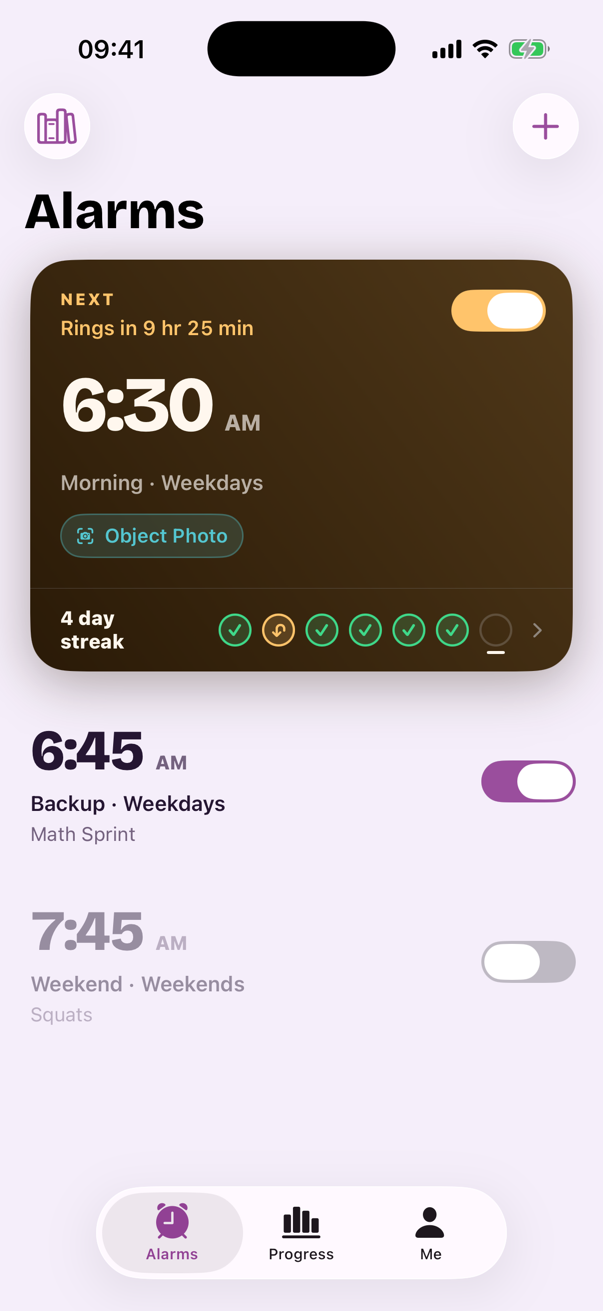

Albori for iPhone
Coming soon to the App Store. Weekly with a 3-day free trial, or Annual. The price, the renewal date and the real total are in plain text before you ever subscribe.
How it works
One alarm. One task. A morning in four steps.
Most alarm apps solve “make a noise at 6:30”. Albori solves “still be awake at 6:45”. The sun on your screen changes as you get there.
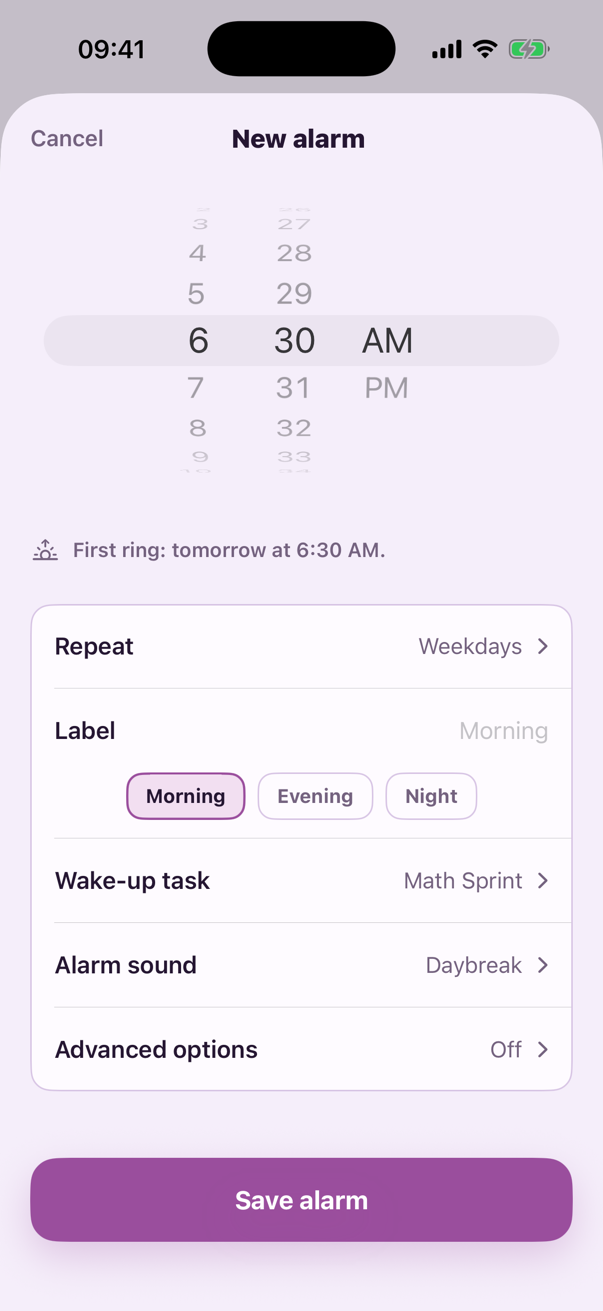
Set the alarm, pick one task
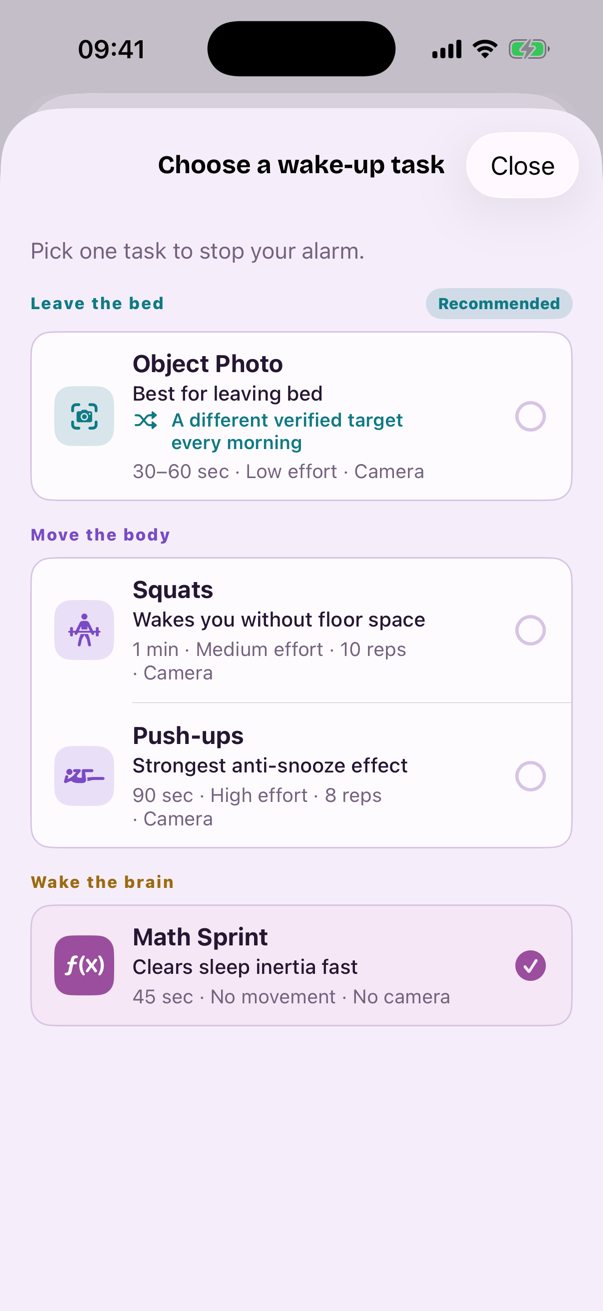
Choose the challenge that fits your morning: Math Sprint, Squats, Push-ups, or an Object Photo taken outside the bedroom. Decided while you're awake and reasonable.
22:30Prove you're awake
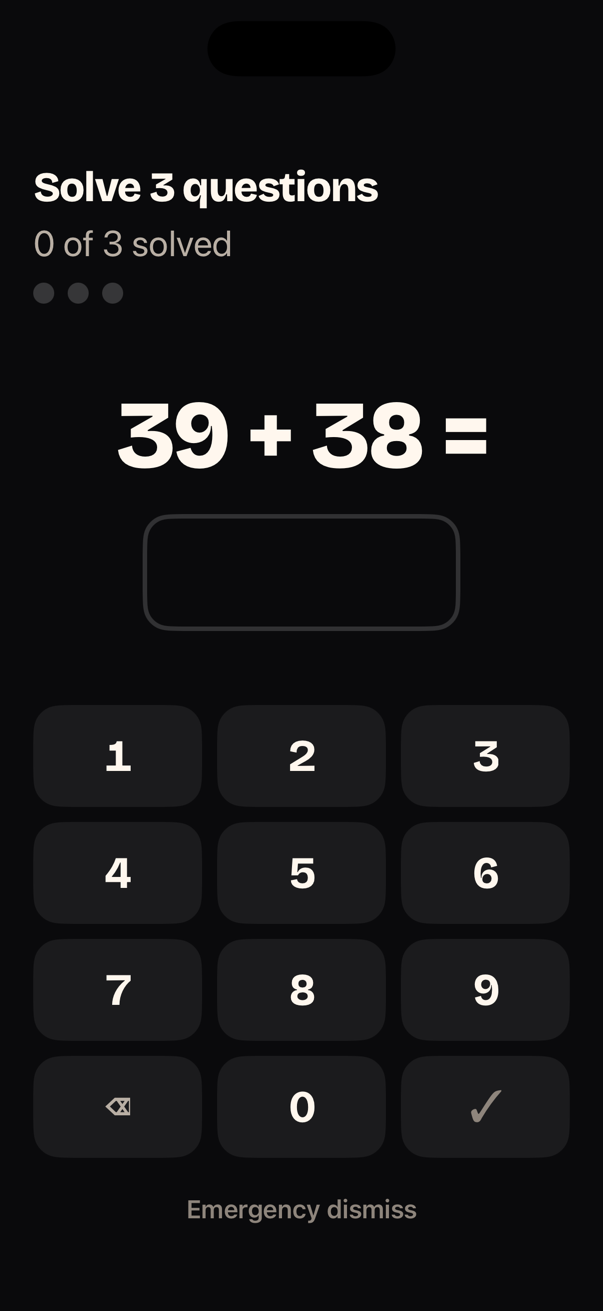
Wake Mode strips everything away: near-black screen, huge type, one task. No snooze, no back button, no negotiation. Complete the task to silence the alarm.
06:30Still up?
An optional wake check asks you to confirm you didn't crawl back under the covers. If returning to bed is your real problem, this is the part that fixes it.
06:41The morning is yours
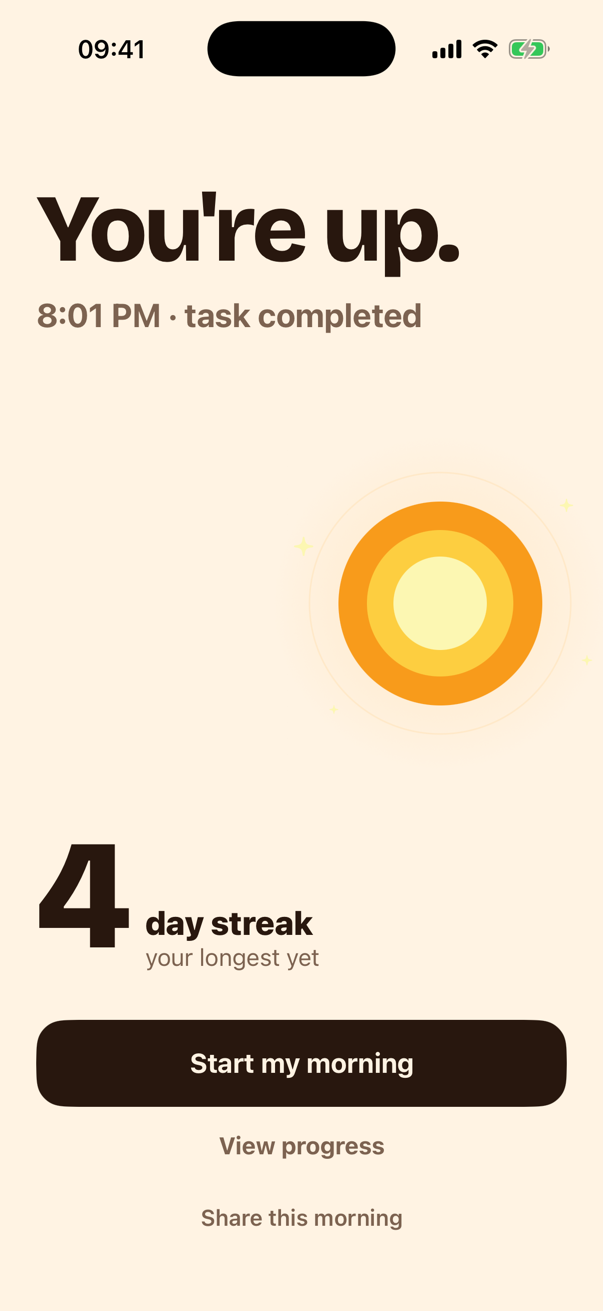
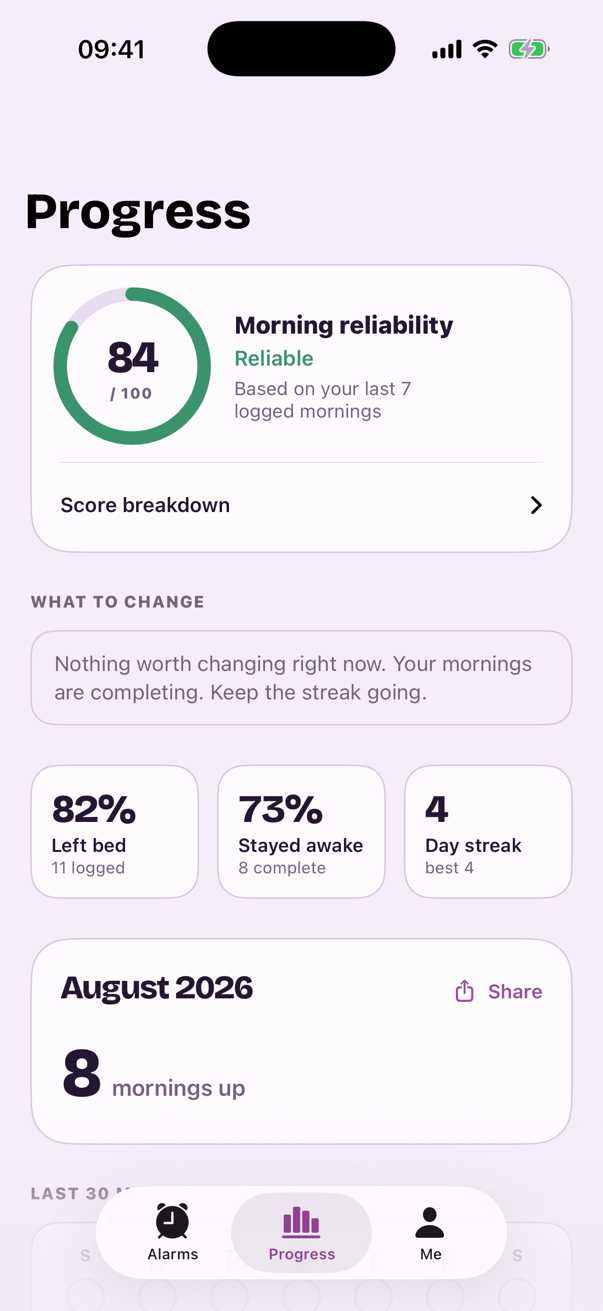
You get the sunrise screen, your streak, and the day. Progress tracks whether waking up is getting easier, morning by morning.
Day 12Wake-up missions
Four missions. Each one your iPhone can actually check.
No “walk 20 steps” counters that a phone in a pocket can fool. Every mission verifies something real, on the device, and none of them can trap you: if a camera task fails twice, Albori offers the backup with full credit.
Object Photo
Albori names an everyday object that lives outside your bedroom. Find it, photograph it, and you're up. Literally.
Verified by on-device image recognition, live camera only.
Squats
Ten reps counted by on-device pose detection. Real movement over time; a photo of you squatting counts nothing.
Verified by body pose tracked across frames, down then up.
Push-ups
Eight push-ups, counted by the camera on your device. Blood moving, brain on, alarm off. The strongest anti-snooze effect in the catalog.
Verified by body pose tracked across frames, down then up.
Math Sprint
Three quick arithmetic questions on a huge keypad. No camera needed, and the universal backup when one fails.
Verified by correct answers. After three misses, difficulty quietly drops a step.
Wake Mode
Designed for a brain that is barely online.
At 6:30 you are negotiating with the version of yourself that always chooses the bed. Wake Mode gives that version nothing to work with.
- ✓One task on screen. Nothing else.No tab bar, no back button, no settings. The only way forward is through.
- ✓Every word at 24pt or larger.Near-black ground, high-contrast type, 68pt keys. Readable with one eye open.
- ✓No snooze. Not hidden, not disabled. Absent.For a genuine emergency there is a 10-second press-and-hold that ends the alarm, and the streak with it.
- ✓Failing never traps you.Two failed verifications recommend the backup task, with equal credit. Wrong answers shake and clear.
The second half of the problem
Dismissing the alarm is easy. Staying up is the job.
Two things most alarm apps skip: checking that you are still awake, and checking that tomorrow's alarm can actually ring.
The wake check
About ten minutes after your task, Albori asks one question: still up? Quick is a tap; Strong asks for another camera task done outside the bedroom. Leaving the room is the single strongest predictor of staying awake, so the check pushes you there.
The reliability check
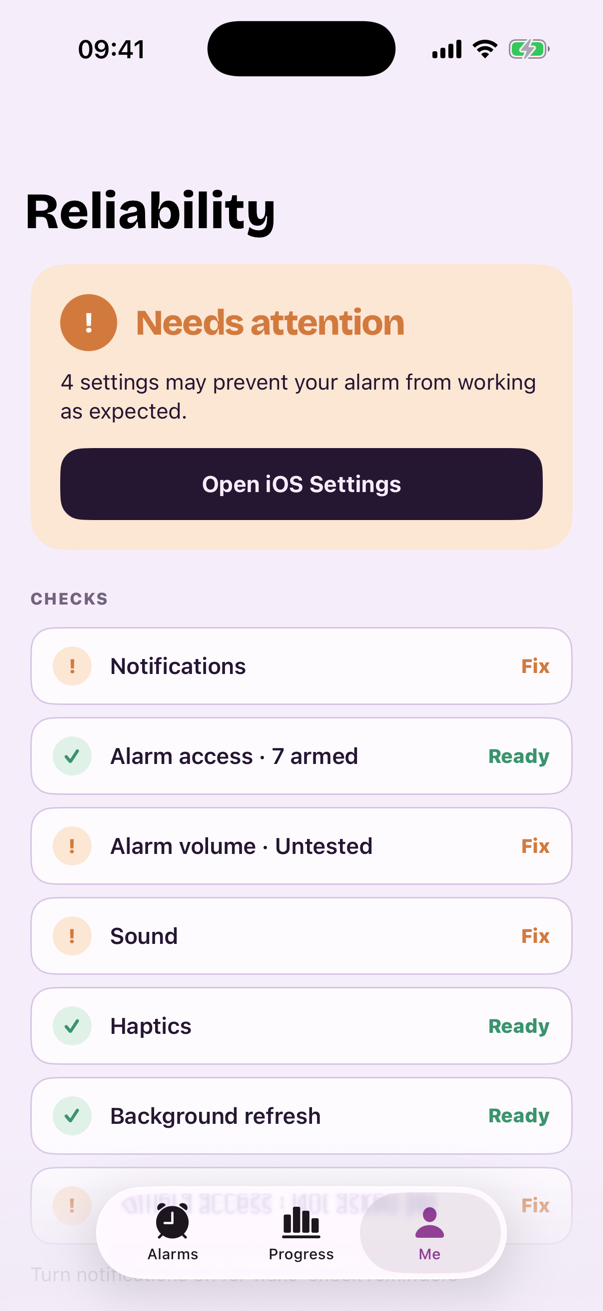
Eight settings decide whether an alarm on iPhone can do its job. Albori checks all of them, in words, before you go to bed.
- Alarm access and notifications
- Alarm volume, sound and haptics
- Headphones or a speaker still connected
- Camera access, if a task needs it
Screenshots
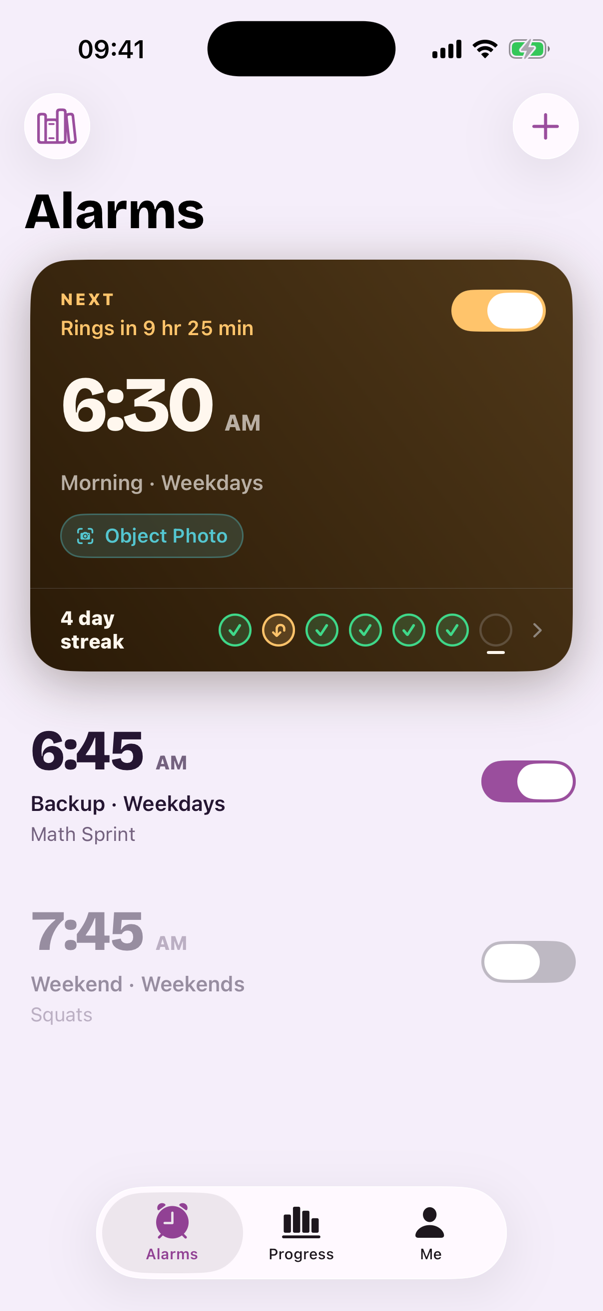
A morning in Albori
Pricing
Two plans. No hidden terms.
Albori is a subscription. Everything in the app, including the alarm itself, is part of it. What you see here is what the app shows before you subscribe.
Weekly
3-day free trial for eligible customers, then $3.99 a week
- Every mission and the wake check
- Reliability and Progress screens
- Cancel any time in your Apple Account
Annual
About $0.77 a week. No trial on this plan.
- Every mission and the wake check
- Reliability and Progress screens
- Cancel any time in your Apple Account
Prices in US dollars. The App Store shows the exact price in your currency, the renewal date and the total before you confirm. Subscriptions renew automatically unless cancelled at least 24 hours before the current period ends. Weekly's free trial is offered once per Apple Account.
Wake-up guides
Fix the real problem, not just the alarm
Practical, honest guides to the habits behind hard mornings, and how Albori helps with each one.
How to stop hitting snooze
Why the snooze habit survives willpower, and the one change that breaks it for good.
Read the guide →The best alarm clock for heavy sleepers
Loudness isn't the answer. What actually wakes a deep sleeper, and keeps them up.
Read the guide →Math alarm clock: wake your brain first
How solving three quick problems beats any volume slider at ending sleep inertia.
Read the guide →An alarm that makes you get out of bed
Leaving the bedroom is the strongest predictor of staying awake. Here's how to force it kindly.
Read the guide →How to wake up early (and mean it)
A realistic system for earlier mornings that doesn't collapse by Thursday.
Read the guide →How to stay awake after your alarm
Dismissing the alarm is the easy half. What to do about the 7:00 relapse.
Read the guide →Exercise alarm clock: squats and push-ups
Why ten squats beat ten minutes of snoozing, and how the camera counts honest reps.
Read the guide →Alarm clock without a snooze button
What changes when snooze simply isn't there, and what to do in a real emergency.
Read the guide →FAQ
Questions, answered honestly
What is an anti-snooze alarm clock app?
How does Albori prove I'm actually awake?
Does Albori work for heavy sleepers?
Can an alarm really make me solve math problems to turn it off?
What if I fall back asleep after dismissing my alarm?
Is there really no snooze button?
Does the camera record my bedroom?
How much does Albori cost?
Which devices does Albori support?
Tomorrow morning can go differently.
Set one alarm. Pick one task. Wake up, and stay up.
Get Albori for iPhoneNo snooze button. A 3-day free trial on the Weekly plan.